

What Is Capcut?
Capcut Introduction :
CapCut is a popular video editing app that helps you create and edit videos easily on your phone or tablet. It offers many tools like cutting, trimming, adding music, text, and special effects. Most features are free, but some advanced tools may require payment. People use CapCut a lot to make videos for social media platforms like TikTok, Instagram, and YouTube because it is easy and powerful.
CapCut is owned by ByteDance Ltd., a big technology company from China. ByteDance is also the owner of TikTok, the famous short-video app. CapCut was first made in China under the name JianYing and later released worldwide as CapCut in 2020.
ByteDance created CapCut to help users make creative and fun videos with simple tools, whether for fun, work, or social media sharing.
Ease of Use
One of the biggest reasons why Capcut has become so popular is because of its simple and user-friendly design. Whether you’re new to video editing or already have some experience, Capcut makes it easy to start editing right away.
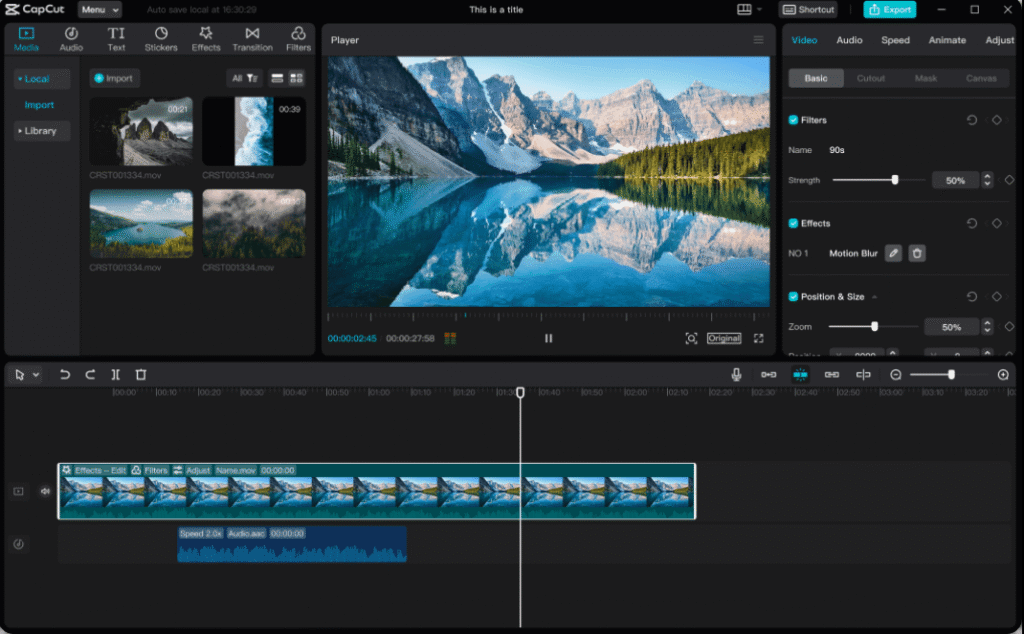
The app features a clean layout with intuitive icons and drag-and-drop functionality. You can trim clips, add music, insert text, and apply effects with just a few taps. Capcut also provides helpful tips and tutorials directly inside the app, which is perfect for beginners.
Another great feature is the ready-to-use templates. These allow users to create professional-looking videos without starting from scratch. Just select a template, drop in your media, and you’re ready to export.
Capcut also runs smoothly on both smartphones and desktops, offering the same easy editing experience on different devices.
How to Download Capcut
CapCut is a free app to edit videos. You can download it on your phone, tablet, or computer.
- On your Android phone or tablet:
Go to Google Play Store and download CapCut. Download for Android - On your iPhone or iPad:
Go to Apple App Store and get CapCut. Download for iOS - On your Windows computer:
Go to the official CapCut website and download for Windows. Download for Windows - On your Mac computer:
Go to the Mac App Store and get CapCut. Download for Mac
After downloading, open CapCut and start making videos!
User Interface (UI) Design
User Interface (UI) Design is about creating the screens, buttons, and controls that people see and use when they interact with an app or website. Good UI design makes an app easy and enjoyable to use.
In apps like CapCut, UI design is very important because it helps users find tools quickly and edit videos without confusion. A clean and simple interface shows only the necessary buttons and menus, so users don’t get lost.
CapCut’s UI design includes clear icons for cutting, adding music, and effects. It also uses easy gestures like swiping and tapping to help users work fast. This makes video editing accessible to beginners and professionals alike.
My-projects-All-in-one-video-editor|CapCut-2-1024x464.png)
Editing Tools and Features
CapCut offers a wide range of editing tools and features that make video creation simple, even for beginners. These tools are designed to help users create professional-looking videos quickly and with ease.
Key Editing Tools in CapCut:
- Cut and Trim
Easily remove unwanted parts of your video with just a few taps. - Split and Merge
Divide videos into smaller clips or join multiple clips into one. - Speed Control
Make videos slow-motion or fast-motion for dramatic effects. - Filters and Effects
Add visual effects, color filters, and transitions to improve the video look. - Text and Titles
Insert text, captions, or stylish titles with many fonts and animation options. - Stickers and Emojis
Decorate your videos with fun stickers and emojis. - Background Removal
Remove or change the background with just one click using AI. - Music and Sound Effects
Add background music or sound effects from CapCut’s free library. - Voiceover and Audio Editing
Record your own voice, adjust volume, and add sound effects easily.
These editing tools and features are arranged in a user-friendly layout, so anyone can use them without needing advanced editing skills
Video Templates and Effects
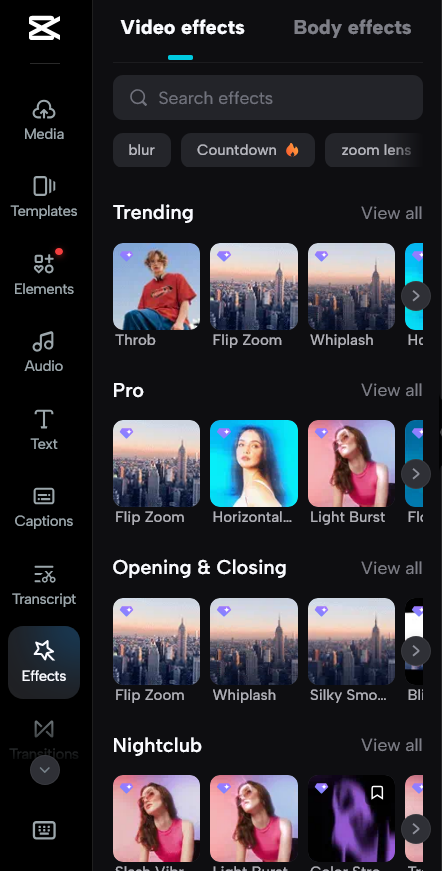
CapCut offers a wide variety of video templates and effects that make video editing fast and creative — even for beginners. These ready-made tools help users make professional-looking videos with just a few taps.
Video Templates
CapCut’s video templates are pre-designed video layouts. You can choose a template, add your own photos or clips, and the app will automatically generate a stylish video.
- Trending templates for TikTok, Reels, and Shorts
- Categories like travel, love, birthdays, and more
- One-click editing – just add your media and export
These templates save time and are perfect for people who want quick results with good design.
Effects
CapCut also provides a wide range of video effects to make your content more engaging.
- Visual effects like glitch, blur, sparkle, 3D zoom, and retro
- Transition effects between clips for smooth movement
- Text effects that animate words with style
- Filter effects to change color tones and moods
All effects are organized into categories and are easy to apply. Just tap on the effect, and it shows instantly on your video.
AI-Powered Features
CapCut includes smart AI-powered features that help users create high-quality videos faster and easier. These tools use artificial intelligence to automate editing tasks that normally take a lot of time or skill.
Key AI-Powered Features in CapCut:
- Background Remover
Instantly remove or replace the background of your video without a green screen. - Auto Captions
CapCut can automatically add subtitles to your videos. Just select the language and the AI will do the rest — fast and accurately. - AI Voiceover
Convert text into voice using different AI voices. Great for tutorials or storytelling. - AI Video Upscaler
Improve the quality of your video by increasing resolution using AI technology. - AI Photo Enhancer
Make blurry or low-quality photos look clear and sharp with one tap. - Face and Body Effects
AI detects faces and movements to add beauty filters, makeup, or body reshaping automatically.
These AI-powered features make CapCut smart, quick, and beginner-friendly — helping users save time and still get professional result
Export Quality and File Options
Export Quality and File Options
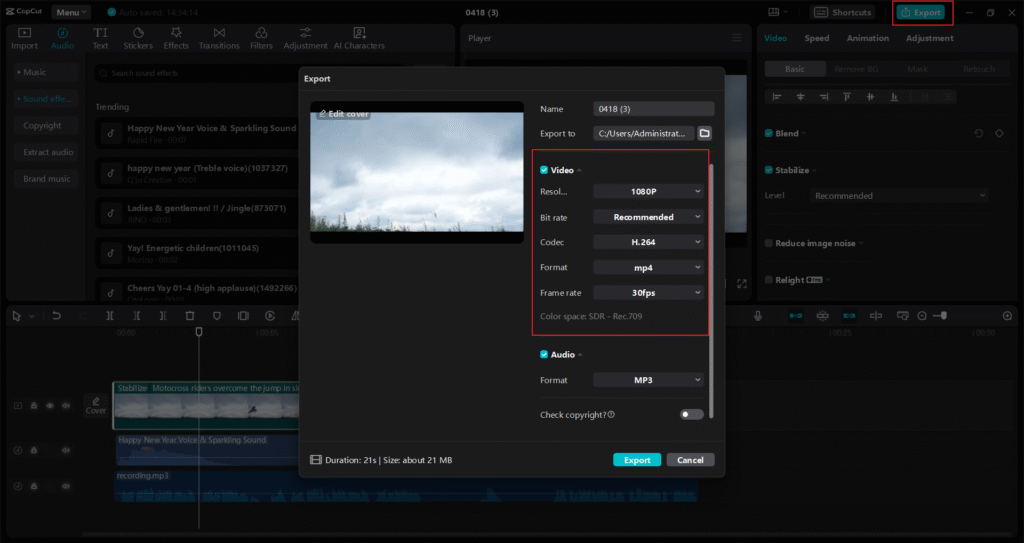
CapCut gives users flexible export quality and file options to suit different needs, whether you’re uploading to social media or saving a high-quality video for personal use.
Export Quality Settings
Before exporting, CapCut lets you choose your video quality:
- 480p – Lower quality, good for fast sharing and saving space
- 720p (HD) – Standard quality for most social media use
- 1080p (Full HD) – High quality for clear and sharp videos
- 4K – Ultra HD for professional-level video (available on supported devices)
You can also adjust the frame rate (e.g., 24fps, 30fps, 60fps) depending on how smooth you want your video to look.
File Format Options
CapCut usually exports videos in MP4 format, which is compatible with most devices and platforms. It gives you a balance of good quality and small file size.
In the desktop version, CapCut may also offer more file format choices for advanced users (like MOV).
Easy Export Process
Exporting in CapCut is simple:
- Tap Export
- Choose your resolution and frame rate
- Save or share directly to platforms like TikTok, YouTube, or Instagram
Is Capcut Free or Paid?
✅ CapCut Free Version
CapCut offers a powerful free version that gives users access to most of the core features:
- Free to download and use
- Tools like trimming, transitions, filters, templates, and effects
- Export up to 1080p resolution
- Some exports may include a watermark
You can explore and use the free version here:
👉 Try CapCut Free
💼 CapCut Pro (Paid Version)
CapCut Pro gives you access to premium features that are not available in the free version:
- No watermark on exports
- 4K video export
- Advanced AI tools like background remover, auto-captions, motion tracking
- Premium filters, fonts, transitions, and effects
- Cloud storage and better export performance
💵 Pricing:
- Around $7.99/month or $59.99/year (may vary by region)
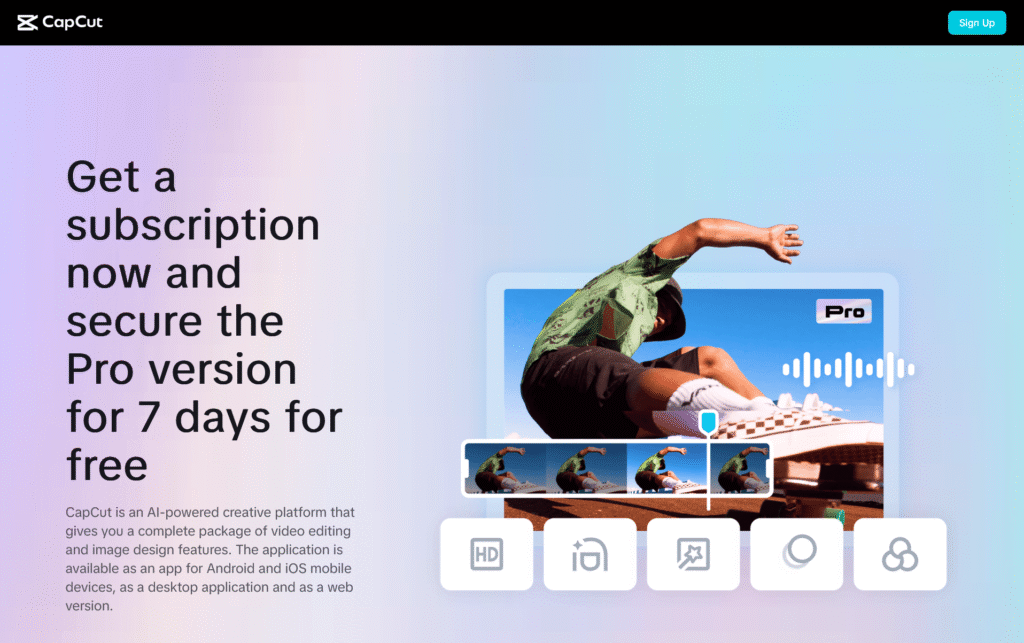
- Includes a 7-day free trial
Ready to upgrade?
👉 Get CapCut Pro
Is CapCut Getting Banned?
🇺🇸 In the United States
In early 2025, CapCut was temporarily banned in the U.S. as part of a new law aimed at apps owned by ByteDance, the same company behind TikTok. However, just two days later, the ban was delayed, and CapCut became usable again for most users.
As of now:
- CapCut still works in the U.S.
- New downloads and updates may be blocked in some app stores
- The app is expected to remain available while legal talks continue
There are also discussions about creating a U.S.-specific version of CapCut in the future.
🇮🇳 In India
CapCut has been permanently banned in India since June 2020 due to privacy and security concerns. It is not available for download or use there.
🌍 In Other Countries
CapCut is still available in most other countries, including:
- Europe
- Canada
- Australia
- Africa and many parts of Asia
However, some governments are reviewing CapCut’s data privacy practices, so future changes are possible.
🛑 Why Are Bans Happening?
CapCut is owned by ByteDance, a Chinese tech company. Some governments are worried about:
- How user data is collected and stored
- Whether foreign apps pose a national security risk
- Privacy laws not being followed
These concerns have led to bans or restrictions in a few countries.
✅ Current CapCut Status (Summary)
| Country/Region | Status |
|---|---|
| United States | ✅ Works, but no new updates in some stores |
| India | ❌ Permanently banned |
| Europe | ✅ Fully available |
| Africa | ✅ Available |
| Asia (other than India) | ✅ Mostly available |
Privacy and Data Security
When using CapCut, many people want to know about its privacy and data security—how the app handles your personal information and video content.
What Data Does CapCut Collect?
- CapCut collects basic data like your device information, usage patterns, and some personal info when you create an account.
- The app may access your camera, microphone, and photos to enable video editing features.
- Some data may be sent to servers for processing, including cloud storage or AI features.
Is CapCut Safe to Use?
- CapCut uses industry-standard security measures to protect your data, such as encryption and secure servers.
- However, because it is owned by ByteDance, a Chinese company, some governments and users have privacy concerns about data sharing.
- CapCut’s privacy policy explains how data is collected and used, but users should review it carefully.
Tips to Protect Your Privacy on CapCut
- Avoid sharing sensitive personal information in videos or profiles.
- Use the app’s privacy settings to control who can see your videos.
- Keep your app updated to benefit from the latest security fixes.
- Consider disabling permissions (like location) if they are not needed
Customer Reviews and Ratings
CapCut Customer Reviews and Ratings
User Feedback
- CapCut generally has positive reviews from users on many platforms, with an average rating around 4 out of 5 stars.
- Many users praise its easy-to-use interface and wide range of features.
- Some users mention occasional performance problems like app crashes or slow loading times.
- Customer support gets mixed reviews — some say it’s helpful, while others find responses slow or generic.
- Some users feel certain features have moved behind a paywall in the Pro version, which caused some dissatisfaction.
Pros
- User-Friendly Interface: Easy for beginners and casual users to start editing quickly.
- Rich Features: Includes templates, effects, AI tools, and more to create creative videos.
- Available on Multiple Devices: Works well on phones, tablets, and desktops.
Cons
- Performance Issues: Some users experience crashes or slow syncing during editing.
- Customer Support: Can be slow or unhelpful at times.
- Pricing Changes: Some popular features are only available in the paid Pro version now, which some users don’t like.

Pingback: Invideo AI Review 2025 – Is This the Best AI Video.
Pingback: 7 Powerful Features of Pippit You Should Know - sugulblog